 Controllers
 Mixers
 Speakers
 Headphones
 Microphones
 Turntables
 Accessories
 Cartridges
 Legacy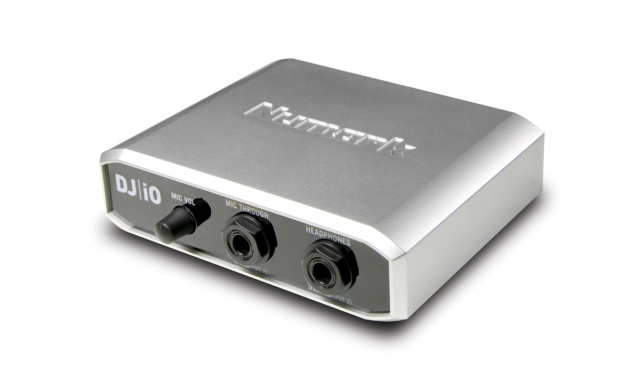
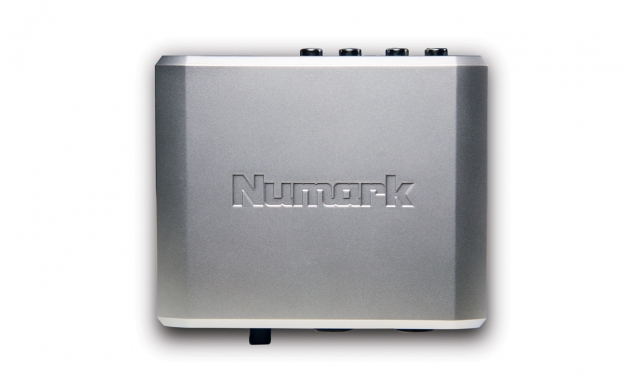
Complete system I/O for laptop performers.
DJ|iO is a compact, portable audio interface expressly designed for DJs, mobile music producers and other musicians who work with computers. You'll find DJ|iO to be a convenient missing link in your setup because it connects easily with a standard USB cable to the computer and supplies extremely high-quality, 24-bit audio to output systems. DJ|iO has stereo outputs for a main sound system, a secondary or monitoring system and headphones, as well as a microphone input with a hardware volume control. The audio interface comes with premium ASIO drivers, which enable you to easily optimize your system’s audio performance.
DJs and other performers employ DJ|iO in a wide variety of setups, most commonly involving music-mixing software and a hardware controller such as TOTAL CONTROL, STEALTH CONTROL, or MixMeister Control. Other performers including CD DJs and non-musician computer users can also appreciate DJ|iO’s convenience and portability.
You can use DJ|iO with Mac OS X, Windows XP, Vista and 7.
Both 32 and 64-bit Windows are compatible. The USB device is bus-powered so no additional power supply is needed. Optionally, you can wall-power DJ|iO with a six-volt AC adapter, which is sold separately. DJ|iO delivers extremely low-latency audio performance for real-time playback accuracy at a choice of CD-quality 44.1kHz or premium 88.2kHz sample rates.
DJ|iO is compact and rugged enough to live in your gig bag.
It has RCA stereo outputs and a headphone output so you can cue and output your main mix simultaneously. DJ|iO also has a 1/4" mic input so you can be the life of the party.
FEATURES
- DJ audio interface for use laptop performance
- Ultra low-latency playback for real-time mixing
- Two independent RCA stereo outputs for main and recording systems
- Microphone input with adjustable gain (1/4")
- Stereo headphone output (1/4" TRS)
- Studio-grade, 24–bit, 44.1 kHz and 88.2 kHz audio quality
- ASIO drivers with control panel for fine-tuning system performance
- USB bus powered, requires no wall power
INCLUDES
- DJ|iO interface
- USB cable
- Software CD
- Quick start guide
- 24-bit DAC
- Output Level: +2.0dBV +/-0.5dB
- SNR: > 100dB (A-weighted)
- THD+N: 0.008%
- How do I optimize latency settings for DJ|iO with Traktor or Traktor LE?
Here's how to get to the latency settings
- Open Traktor or Traktor LE
- Click on the "Preferences" button in the upper right of the screen
- Click the "+" to the left of "Audio Setup" in the upper left of the window
- Select "Soundcard" undereneath "Audio Setup"
- To the right, "Audio Device," "Sample Rate," and "Audio Latency" settings will be displayed
The following latency settings will allow smooth playback
- 5.5ms
- 11.5ms
- 17ms
- 23ms
- 46ms
MINIMUM SYSTEM REQUIREMENTS
Windows
- Windows 7 (32-bit or 64-bit)
- Windows Vista (SP1, 32-bit or 64-bit)
- XP (SP3, 32-bit or 64-bit)
- Pentium IV or Athlon 1.4 GHz or higher or higher
- 1 GB RAM or higher
- USB 2.0 Port (single channel operation with USB 1.1)
Macintosh
- OSX 10.5/10.6
- Intel Core Duo processor or higher
- 1 GB RAM or higher>
- USB 2.0 Port (single channel operation with USB 1.1)


