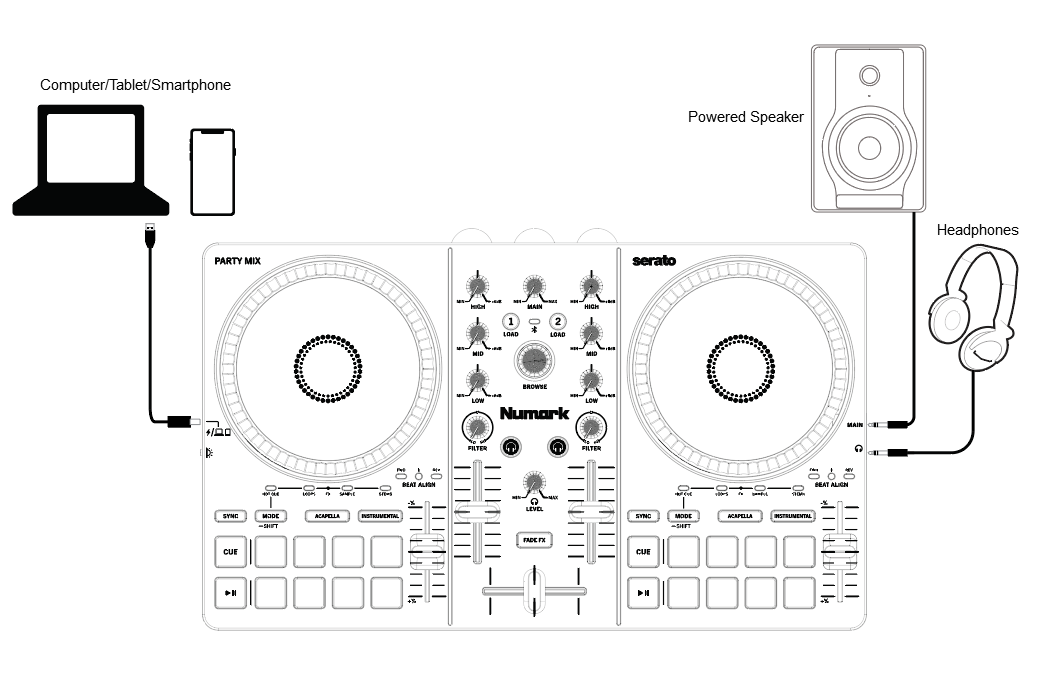
Use the included USB-C cable to connect Party Mix to an available USB port on your computer, or directly to your smartphone or tablet.
For improved battery life on mobile devices, use wireless charging if available for your device, or connect to a powered USB hub that can provide both power to Party Mix and connection with your device.
Connect output devices (headphones, optional speakers, etc.) to Party Mix.
Open the software and start DJ’ing!
Wirelessly Connecting Party Mix with Bluetooth MIDI
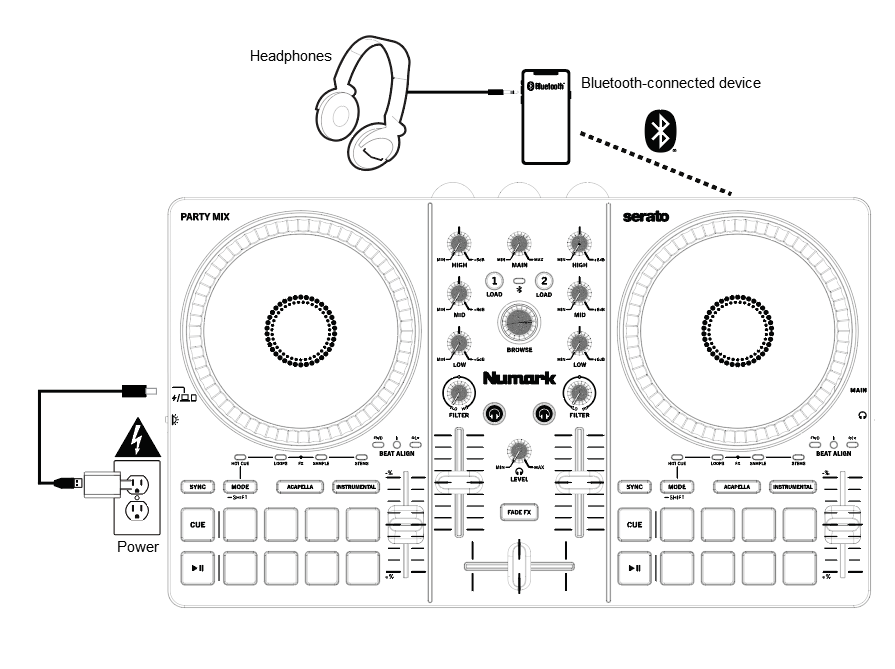
Enable Bluetooth® on an Android or iOS mobile device.
Connect the included USB cable to a power adapter or USB power bank (sold separately) and the Party Mix.
When Party Mix has powered on, it will enter Bluetooth MIDI pairing mode. The Bluetooth LED on Party Mix will flash to indicate it is ready to pair.
Open your DJ app on your smartphone or tablet, go to Settings > MIDI Devices > Bluetooth MIDI Devices and select Numark Party Mix. Once connected, the Bluetooth LED will remain lit and you can start DJ'ing!
While Bluetooth control is active, Party Mix's audio outputs will be disabled. Connect any speakers or headphones to your smartphone or tablet.